

Creating Agents from a Description

The description-based creation mode is the easiest way to create an agent in Logic. It allows you to quickly generate an agent by describing the task you want the Logic API to perform.
Prefer manual creation? See Creating and Editing Agents for full control over your agent structure.
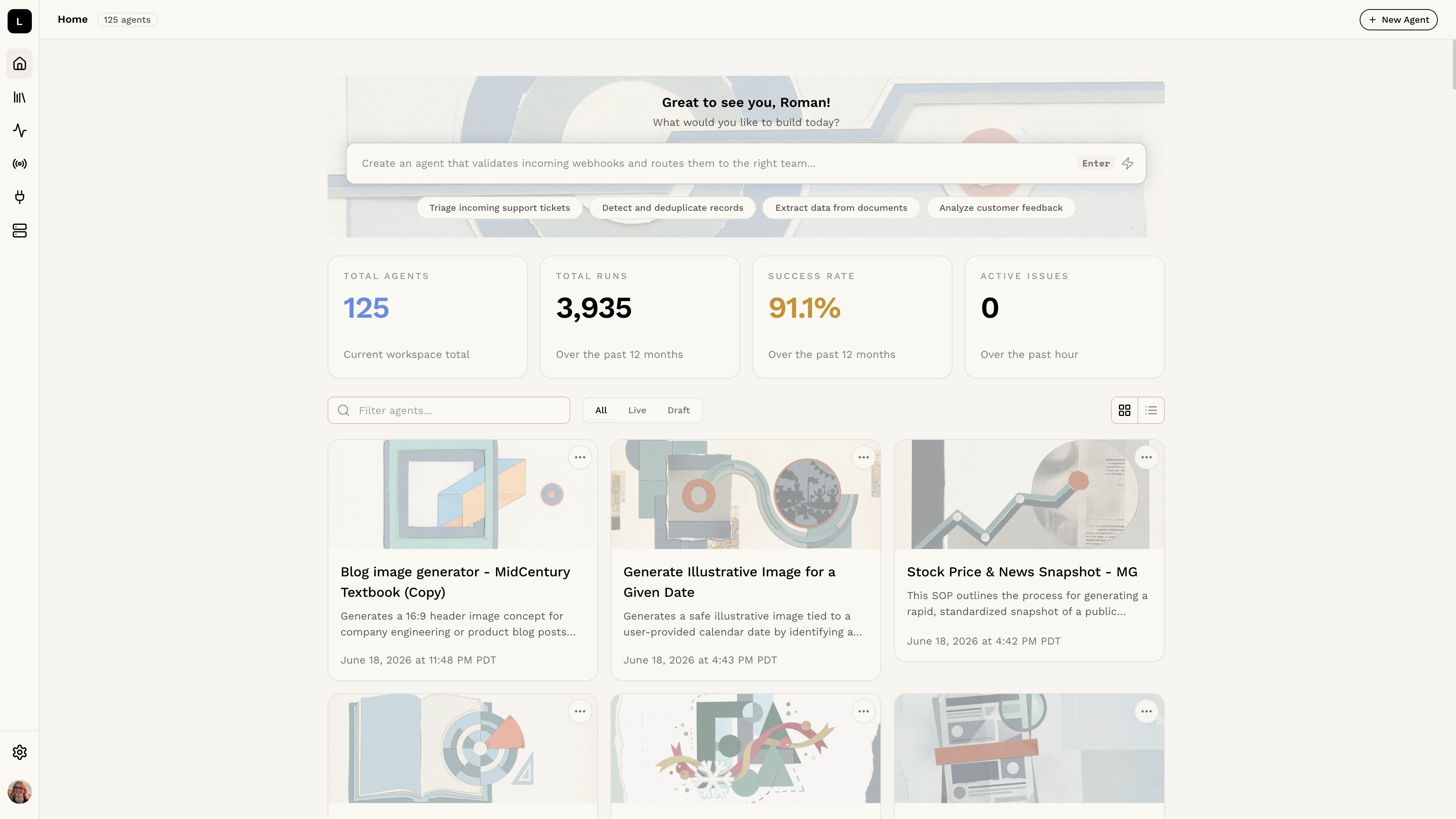
Logic dashboard

Step 1: Describe what you need

Type a description of what you want the agent to do into the text box at the top of the dashboard and press Enter. Logic will automatically generate an agent based on your description. For example, if you wanted to create an agent for image analysis, you might write something like:
Take an image and tell me what's in it
From this description, Logic will create an agent with a structure similar to the following:
Analyze Image Contents

Introduction
This agent provides a step-by-step guide for analyzing an image to describe its contents. The goal is to use image recognition techniques to identify objects, scenes, and activities within the image.

Process

Step 1: Image Preprocessing
1. Obtain the image in a suitable digital format.
2. Ensure the image is clear and of sufficient quality for analysis.

Step 2: Object Detection
1. Apply object detection algorithms to identify objects within the image.
2. Note the types of objects detected (e.g., animals, vehicles, buildings).

Step 3: Scene Understanding
1. Analyze the context and setting of the image.
2. Identify the scene type (e.g., outdoor, indoor, landscape, portrait).

Step 4: Activity Recognition
1. If applicable, recognize any activities or actions depicted in the image.
2. Describe the activities in detail (e.g., walking, running, reading).

Input
- Digital image file.

Output
- Description of the image contents, including:
  - Identified objects
  - Scene type
  - Recognized activities

Step 2: Test it out!

Once you have created your agent, you can test it out using automatically generated test cases. This will help you ensure that it behaves as expected and meets your requirements. To learn more about how to test your agent, check out the Testing Agents section.