
Output Schema

schema When making a request to an agent, your input and output data will be in JSON format. The structure of this data is defined by the agent’s input and output schema. The input schema specifies the format and types of data that the agent expects, while the output schema defines the format and types of data that the agent will return after processing. You can find the input and output schema for each agent on the Logic Dashboard. Click on your agent, then click on the Integration tab. The input and output schema will be displayed in the Input Schema and Output Schema sections, respectively. For this example, we will be using the Redact PII agent. This agent is designed to redact personally identifiable information (PII) from a given text input.

Output Schema

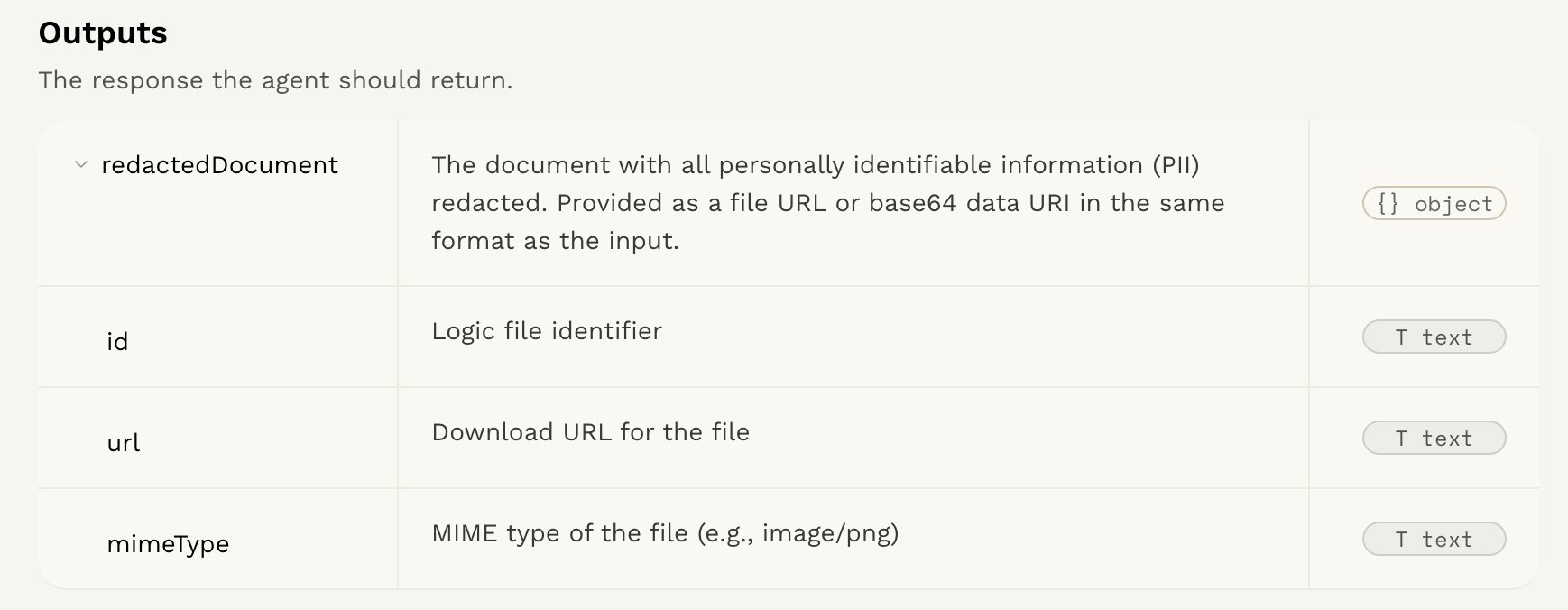
The returned data will be a JSON object of the execution, containing an output field with the following structure:
{
  "redactedText": {
    "type": "string",
    "description": "The text with all detected PII replaced by appropriate placeholders (e.g., {{ name }}, {{ email }})."
  },
  "redactedEntities": {
    "type": "array",
    "description": "A list of entities that were redacted from the original content.",
    "items": {
      "type": "string",
      "description": "A single entity that was redacted from the content."
    }
  }
}
The output schema will differ depending on your agent.

Output Example

{
  "redactedText": "{{ name }} emailed me at my personal address: {{ email }}.",
  "redactedEntities": ["Steve", "mary@yahoo.com"]
}