

Input Schema
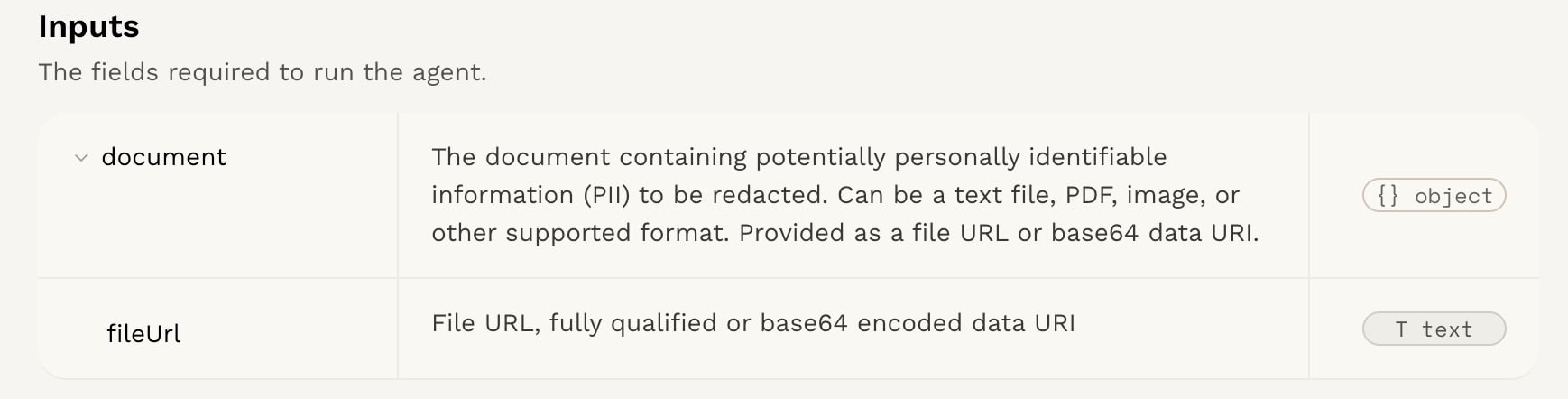
Integration tab. The input and output schema will be displayed in the Input Schema and Output Schema sections, respectively.
For this example, we will be using the Redact PII agent. This agent is designed to redact personally identifiable information (PII) from a given text input.
Input Schema
The input should be a JSON object with the following structure:content field. The content field is a string that contains the PII to be redacted. The agent will process this text and identify any PII present, such as names, email addresses, phone numbers, etc. It will remove them from the text and return them in a separate array.
The input schema will differ depending on your agent.
Input Example
In this case, the input is a string containing text. When writing your
agent, you can also use images, audio, and files (such as PDF, Word, Excel, and PowerPoint) as inputs, either as a URL or a base64-encoded string. All supported file types will be converted and processed automatically.