

Agent IDs
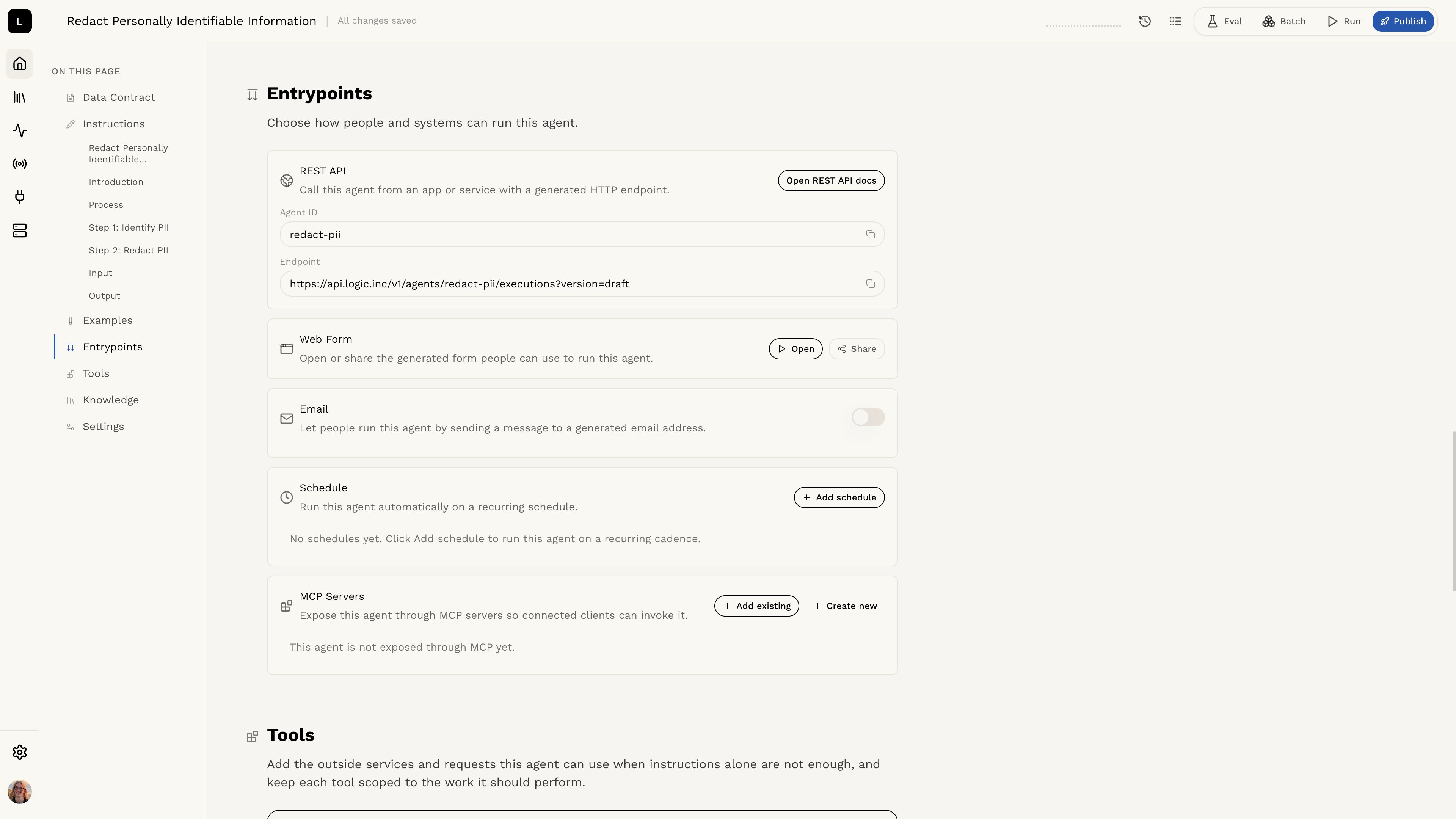
When you create an agent in Logic, it is assigned a unique identifier known as the agent ID. This ID is used to reference the agent in API requests and is essential for executing, updating, or deleting the agent. You can find the agent ID in the Logic dashboard, or you can retrieve it using the Logic API. The agent ID is a UUID (Universally Unique Identifier) that looks like this:a901abfe-398d-447d-a0cc-c071b40339f3. You can also use the agent slug, which is a human-readable version of the agent ID that might look like this: analyze-invoice-po-notes.
Retrieving the Agent slug via the dashboard
Retrieving a List of Available Agents with the API
To retrieve a list of the agents available on your dashboard, you can use the/v1/agents endpoint. This will return a JSON object containing the ID of your agent, created and updated dates, the slug you can use to refer to it for API requests, and more.
Example Agent List
Retrieving a Specific Agent
You can also retrieve info for a specific agent by adding the ID or slug to the end of the/v1/agents/ endpoint.
Replace any {id} in the example code, such as {agent_id} with the ID you need for your specific API call.