> ## Documentation Index
> Fetch the complete documentation index at: https://docs.logic.inc/llms.txt
> Use this file to discover all available pages before exploring further.
# Integrating Your Agent
> Getting started with the API for your agent
## Automatic API Generation
When you publish an agent, Logic automatically generates an API for your agent. This API allows you to interact with your agent programmatically, making it easy to integrate it into your applications or workflows.
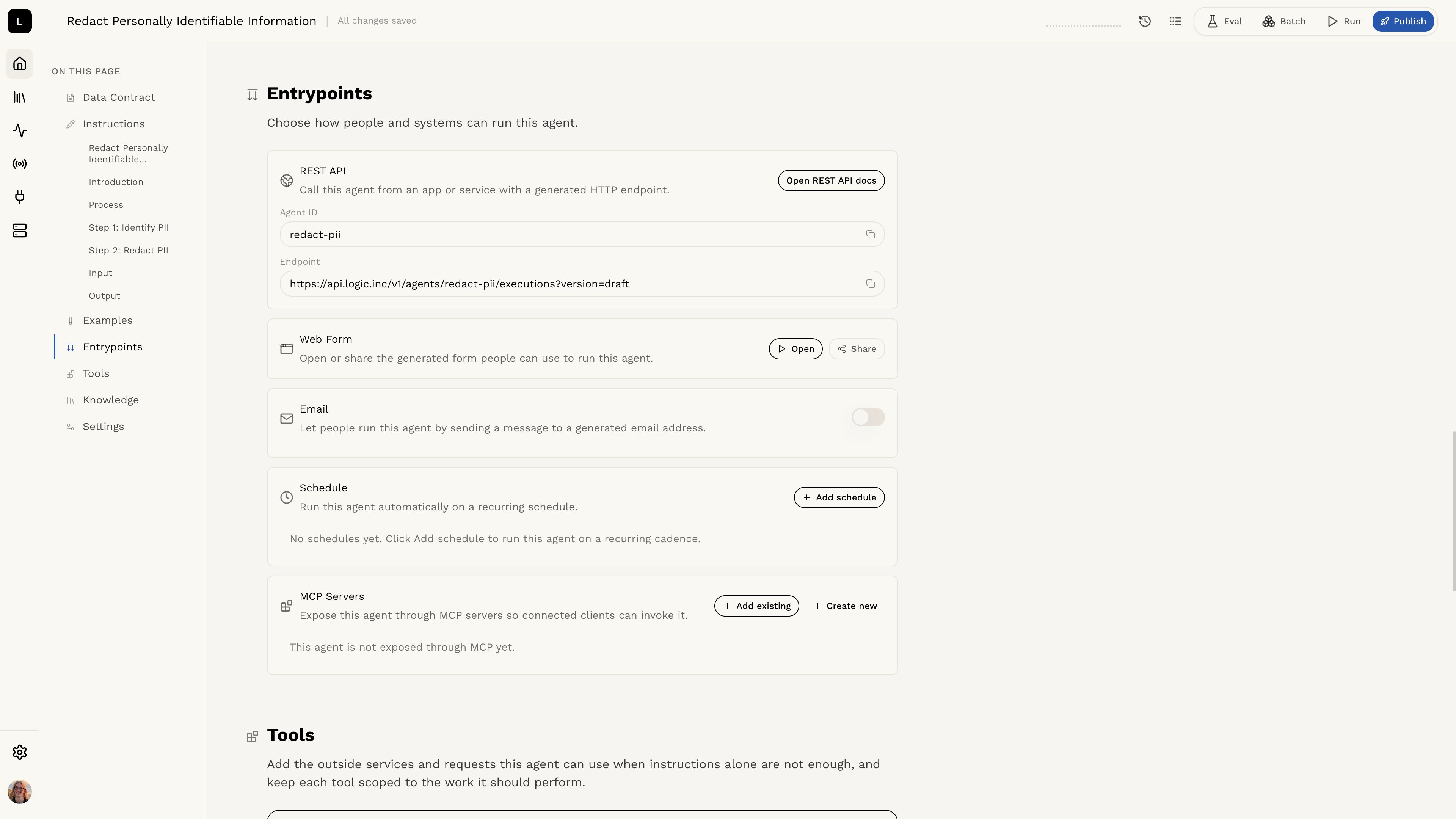
Information on the API and how to use it can be found in the **Entrypoints** section of the agent editor.
 ### Endpoint
In the **Entrypoints** section, the **REST API** card shows the API endpoint for your agent. This is the URL that you will use to call your agent's API.
### Authorization
To access the Logic API, you will need to provide an authorization token. This token is used to authenticate your requests and ensure that only authorized users can access your agents.
Learn more about authorization and how to set up your API token in the [Authorization section](/api-reference/authorization).
## Before You Use the API
Make sure you understand the input and output schema for your agent. This will help you structure your requests and understand the responses you will receive.
Learn more about the input and output schema in the [Agent
Schemas](/guides/integration-and-testing/schemas) section.
## Email Execution
You can also trigger agent executions by sending an email, without writing any code or calling the API directly.
Learn how to set up email execution in the [Email
Execution](/guides/integration-and-testing/email-execution) section.
## Sending Emails
Agents can send emails to members of your organization as part of an execution. This is useful for workflows that need to notify team members or share results.
Learn more about sending emails in the [Sending
Emails](/guides/integration-and-testing/send-email) section.
## Ready to Use the API?
Now that you want to get started with the API, check out the API documentation to learn how to get started.
Learn how to use the API in the [API Reference](/api-reference) section.
### Endpoint
In the **Entrypoints** section, the **REST API** card shows the API endpoint for your agent. This is the URL that you will use to call your agent's API.
### Authorization
To access the Logic API, you will need to provide an authorization token. This token is used to authenticate your requests and ensure that only authorized users can access your agents.
Learn more about authorization and how to set up your API token in the [Authorization section](/api-reference/authorization).
## Before You Use the API
Make sure you understand the input and output schema for your agent. This will help you structure your requests and understand the responses you will receive.
Learn more about the input and output schema in the [Agent
Schemas](/guides/integration-and-testing/schemas) section.
## Email Execution
You can also trigger agent executions by sending an email, without writing any code or calling the API directly.
Learn how to set up email execution in the [Email
Execution](/guides/integration-and-testing/email-execution) section.
## Sending Emails
Agents can send emails to members of your organization as part of an execution. This is useful for workflows that need to notify team members or share results.
Learn more about sending emails in the [Sending
Emails](/guides/integration-and-testing/send-email) section.
## Ready to Use the API?
Now that you want to get started with the API, check out the API documentation to learn how to get started.
Learn how to use the API in the [API Reference](/api-reference) section.