> ## Documentation Index
> Fetch the complete documentation index at: https://docs.logic.inc/llms.txt
> Use this file to discover all available pages before exploring further.
# Making a New Agent
> Choose how to create your first agent in Logic
## Creating a New Agent
Once you have access to the Logic dashboard, you can create a new agent by describing what you need or by creating it manually. Choose the method that best fits your needs.
Want to learn more about how agents work in Logic? Check out the
[Understanding Agents](/guides/other/understanding-agents) section.
### Step 1: Access the Logic Dashboard
Open the [Logic dashboard](https://app.logic.inc) and log in to your account.
### Step 2: Choose Your Creation Method
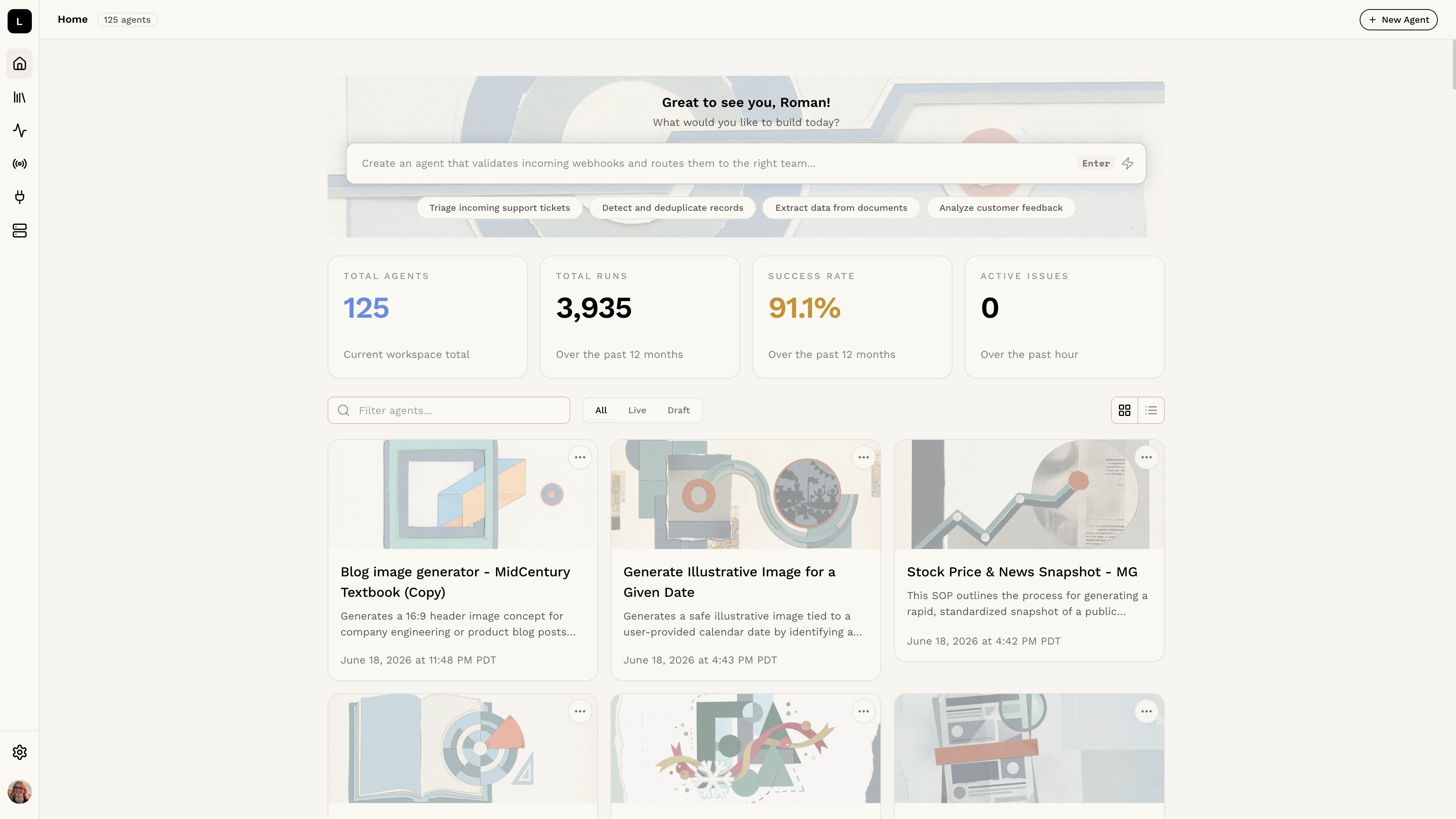 **Option 1: Generate from Description (Recommended)**
Type a description of what you need into the text box at the top of the dashboard. Logic will automatically generate an agent for you. This is the fastest way to get started.
→ [Generate an agent from description](/guides/agent-editing/generating-agents-from-description)
**Option 2: Create Manually**
Click the **+ New Agent** button to open a blank agent editor. This gives you full control over the structure and content, and is useful if you have specific requirements or want a custom agent.
→ [Create and edit an agent manually](/guides/agent-editing/creating-and-editing-agents)
You can edit either agent type after creation to better fit your needs.
**Option 1: Generate from Description (Recommended)**
Type a description of what you need into the text box at the top of the dashboard. Logic will automatically generate an agent for you. This is the fastest way to get started.
→ [Generate an agent from description](/guides/agent-editing/generating-agents-from-description)
**Option 2: Create Manually**
Click the **+ New Agent** button to open a blank agent editor. This gives you full control over the structure and content, and is useful if you have specific requirements or want a custom agent.
→ [Create and edit an agent manually](/guides/agent-editing/creating-and-editing-agents)
You can edit either agent type after creation to better fit your needs.