> ## Documentation Index
> Fetch the complete documentation index at: https://docs.logic.inc/llms.txt
> Use this file to discover all available pages before exploring further.
# Quick Start
> How to call the Logic API for the first time
## Quick Start
Let's get started with the Logic API! In this guide, we will walk you through the steps to make your first API call.
**Backwards Compatibility:** The `/v1/documents/` endpoints continue to work and are fully supported. `/v1/agents/` is the preferred path going forward. If you have existing integrations using `/v1/documents/`, no changes are required.
### Prerequisites
This guide assumes you have access to the Logic dashboard and have already created an agent. If you haven't done this yet, please refer to the [Making a New Agent](/guides/agent-editing/making-agents) section.
### Step 1: Create an API key
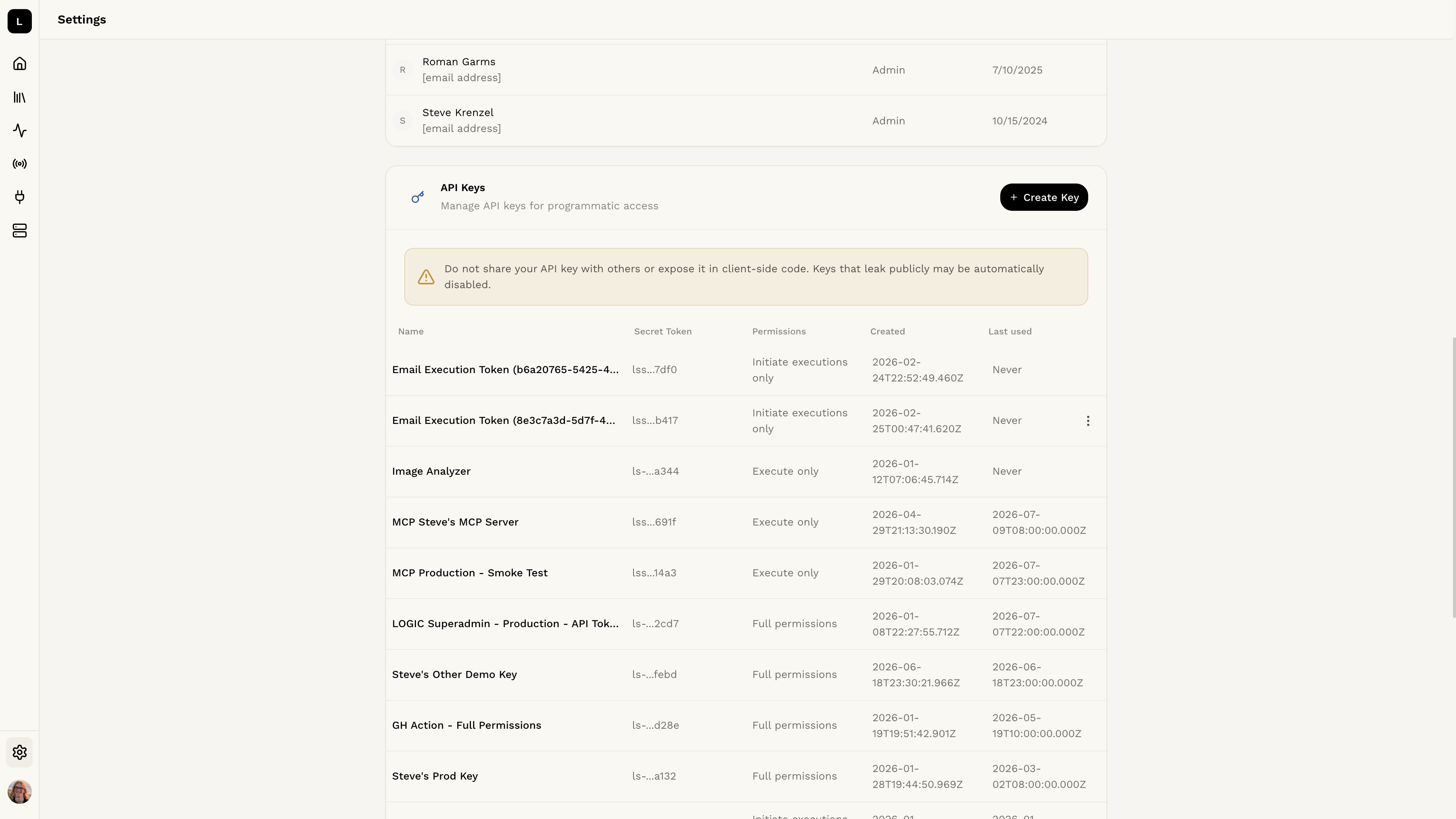 To access the Logic API, you will need to provide an authorization token. This token is used to authenticate your requests and ensure that only authorized users can access your agents.
You can create an API key in the [Logic Dashboard API Key Page](https://app.logic.inc/settings/organization-settings/api-keys).
Learn more about how to create your API key in the
[Authorization](/api-reference/authorization) section.
### Step 2: Get the ID of your agent
To get the ID of your agent, you can use the `/agents` endpoint. This will return a JSON object containing the ID of your agent, created and updated dates, the slug you can use to refer to it for API requests, and more.
Learn more about how to get the agent ID in the [Agent
IDs](/api-reference/agents/agent-id) section.
### Step 3: Execute your agent using the API
To execute your agent using the API, you can use the `/agents/{agent_id}/executions` endpoint. This will return a JSON object containing the output of your agent.
Learn more about how to execute your agent in the [Executing an
Agent](/api-reference/executions/executing) section.
If you use Java, there are some additional steps to set up your project. You
can find more information in the [Java Setup](/api-reference/other/java-setup)
section.
To access the Logic API, you will need to provide an authorization token. This token is used to authenticate your requests and ensure that only authorized users can access your agents.
You can create an API key in the [Logic Dashboard API Key Page](https://app.logic.inc/settings/organization-settings/api-keys).
Learn more about how to create your API key in the
[Authorization](/api-reference/authorization) section.
### Step 2: Get the ID of your agent
To get the ID of your agent, you can use the `/agents` endpoint. This will return a JSON object containing the ID of your agent, created and updated dates, the slug you can use to refer to it for API requests, and more.
Learn more about how to get the agent ID in the [Agent
IDs](/api-reference/agents/agent-id) section.
### Step 3: Execute your agent using the API
To execute your agent using the API, you can use the `/agents/{agent_id}/executions` endpoint. This will return a JSON object containing the output of your agent.
Learn more about how to execute your agent in the [Executing an
Agent](/api-reference/executions/executing) section.
If you use Java, there are some additional steps to set up your project. You
can find more information in the [Java Setup](/api-reference/other/java-setup)
section.