> ## Documentation Index
> Fetch the complete documentation index at: https://docs.logic.inc/llms.txt
> Use this file to discover all available pages before exploring further.
# Input Schema
> The input schema of an agent
## Input Schema
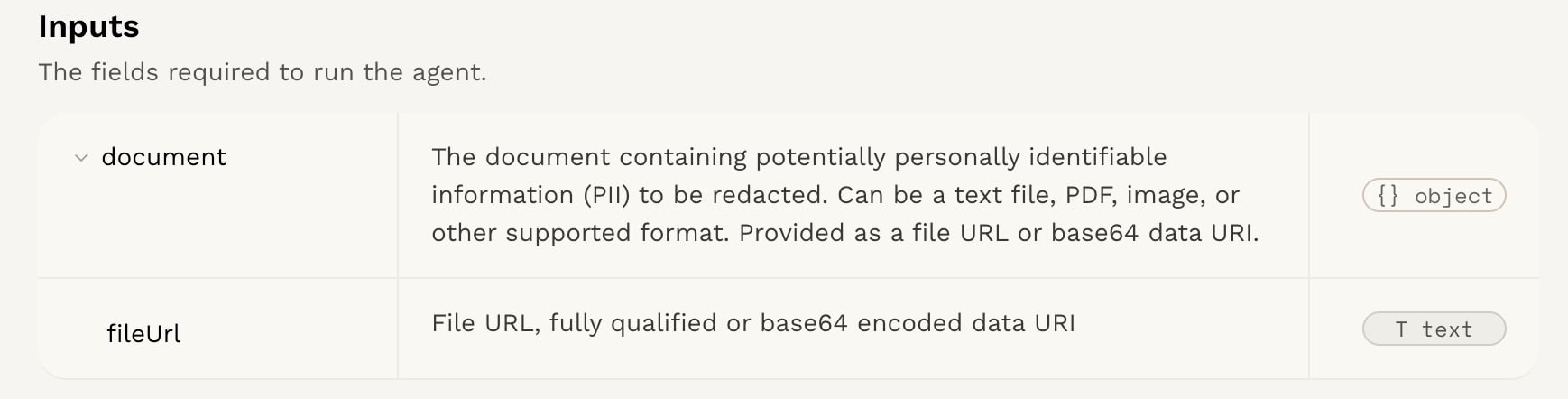 When making a request to an agent, your input and output data will be in JSON format. The structure of this data is defined by the agent's input and output schema. The input schema specifies the format and types of data that the agent expects, while the output schema defines the format and types of data that the agent will return after processing.
You can find the input and output schema for each agent on the [Logic Dashboard](https://app.logic.inc). Click on your agent, then click on the `Integration` tab. The input and output schema will be displayed in the `Input Schema` and `Output Schema` sections, respectively.
For this example, we will be using the Redact PII agent. This agent is designed to redact **personally identifiable information (PII)** from a given text input.
### Input Schema
The input should be a JSON object with the following structure:
```json theme={null}
{
"content": {
"type": "string",
"description": "The text content from which PII should be redacted."
}
}
```
For this agent, the input schema requires a `content` field. The `content` field is a string that contains the PII to be redacted. The agent will process this text and identify any PII present, such as names, email addresses, phone numbers, etc. It will remove them from the text and return them in a separate array.
The input schema will differ depending on your agent.
### Input Example
```json theme={null}
{
"content": "Steve emailed me at my personal address: mary@yahoo.com."
}
```
In this case, the input is a string containing text. When writing your
agent, you can also use images, audio, and files (such as PDF, Word, Excel, and PowerPoint) as inputs, either as a URL or a base64-encoded string. All supported file types will be converted and processed automatically.
When making a request to an agent, your input and output data will be in JSON format. The structure of this data is defined by the agent's input and output schema. The input schema specifies the format and types of data that the agent expects, while the output schema defines the format and types of data that the agent will return after processing.
You can find the input and output schema for each agent on the [Logic Dashboard](https://app.logic.inc). Click on your agent, then click on the `Integration` tab. The input and output schema will be displayed in the `Input Schema` and `Output Schema` sections, respectively.
For this example, we will be using the Redact PII agent. This agent is designed to redact **personally identifiable information (PII)** from a given text input.
### Input Schema
The input should be a JSON object with the following structure:
```json theme={null}
{
"content": {
"type": "string",
"description": "The text content from which PII should be redacted."
}
}
```
For this agent, the input schema requires a `content` field. The `content` field is a string that contains the PII to be redacted. The agent will process this text and identify any PII present, such as names, email addresses, phone numbers, etc. It will remove them from the text and return them in a separate array.
The input schema will differ depending on your agent.
### Input Example
```json theme={null}
{
"content": "Steve emailed me at my personal address: mary@yahoo.com."
}
```
In this case, the input is a string containing text. When writing your
agent, you can also use images, audio, and files (such as PDF, Word, Excel, and PowerPoint) as inputs, either as a URL or a base64-encoded string. All supported file types will be converted and processed automatically.